 1 / 12
Workspace
NewThe Grant Writing Workspace
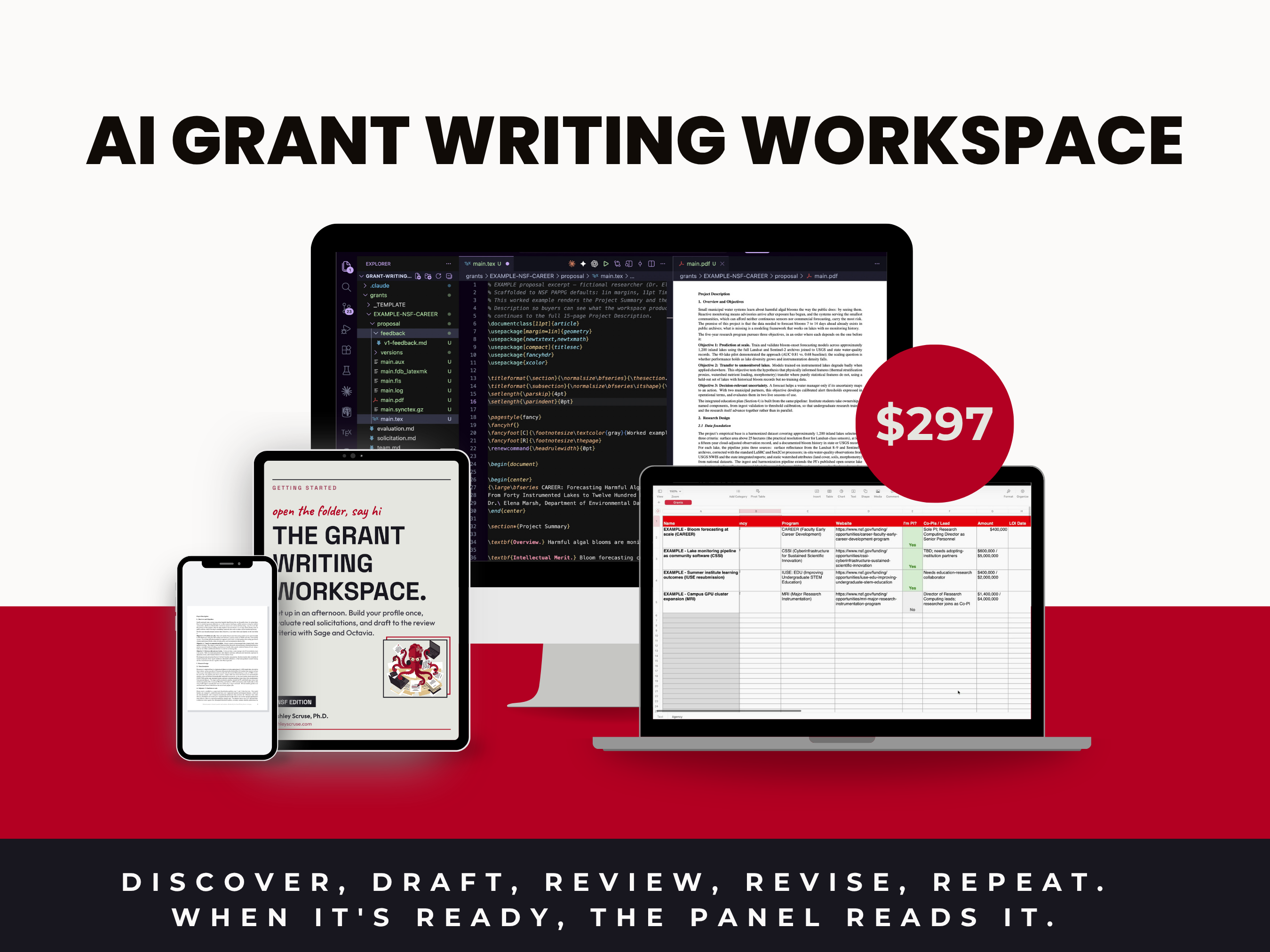
Most AI grant-writing advice hands you prompts and leaves you to paste your own details in every single time. This does the opposite. You fill in your profile once (your identity, your institutions, your collaborators, your research, your teaching and mentoring, and your grant history) and every evaluation and draft after that arrives with your real specifics already in it. Sage, the setup guide, builds that profile straight from your CV. Octavia, the grant writer, walks each solicitation from first read to finish: an honest fit verdict before you commit a month, a tracker row for every opportunity, sections drafted to the NSF review criteria in a formal proposal voice, a four-reviewer panel when your draft feels ready, and a rendered, submission-ready PDF at the end. Four worked NSF evaluations and a complete example proposal ship inside, so you can see a real verdict and a real draft before you fill in a single file. Built and used on real submissions, not assembled as a demo.
What you get
Your purchase includes
- ·The full workspace: a plain folder that opens in Claude Code, from the CLI, your IDE, or Claude Desktop
- ·Profile templates: identity, institutions, collaborators, research, teaching and mentoring, grant history
- ·A grant folder template per opportunity: solicitation, evaluation, team, budget, proposal
- ·Solicitation review and fit-decision workflow
- ·Budget workbook with the reasoning recorded, plus proposal development guides
- ·Setup instructions and a getting-started walkthrough
Instant Access
Secure Checkout
Lifetime Updates
quick answers
FAQS.
Six things you get
WHAT'S INSIDE.
Your setup guide
SAGE
Sage is your getting-started guide. Drop a CV in the folder and say hello: Sage sets the workspace up, builds your profile from the CV, then asks the few things a CV will never contain.
start here
Profile · collaborators · institutions
YOUR CONTEXT
Fill it in once: your profile, your institutions, and your collaborators. Every evaluation and every draft after that arrives with your real specifics already in it.
once, not every time
The decision
EVALUATIONS
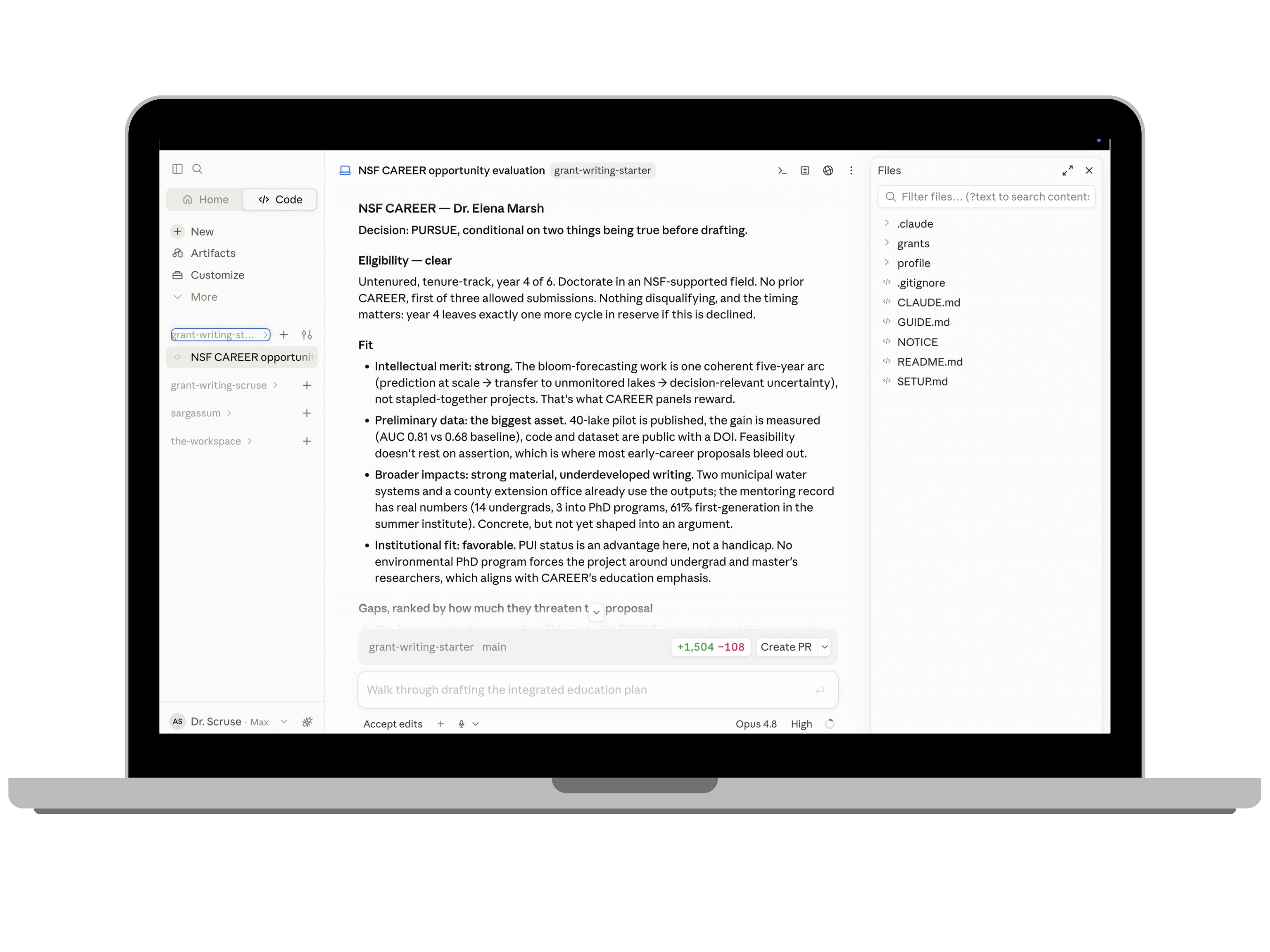
Four real NSF programs, worked end to end. Eligibility, fit, what is missing, and a verdict. One of them says do not apply.
or do not
The pipeline
THE TRACKER
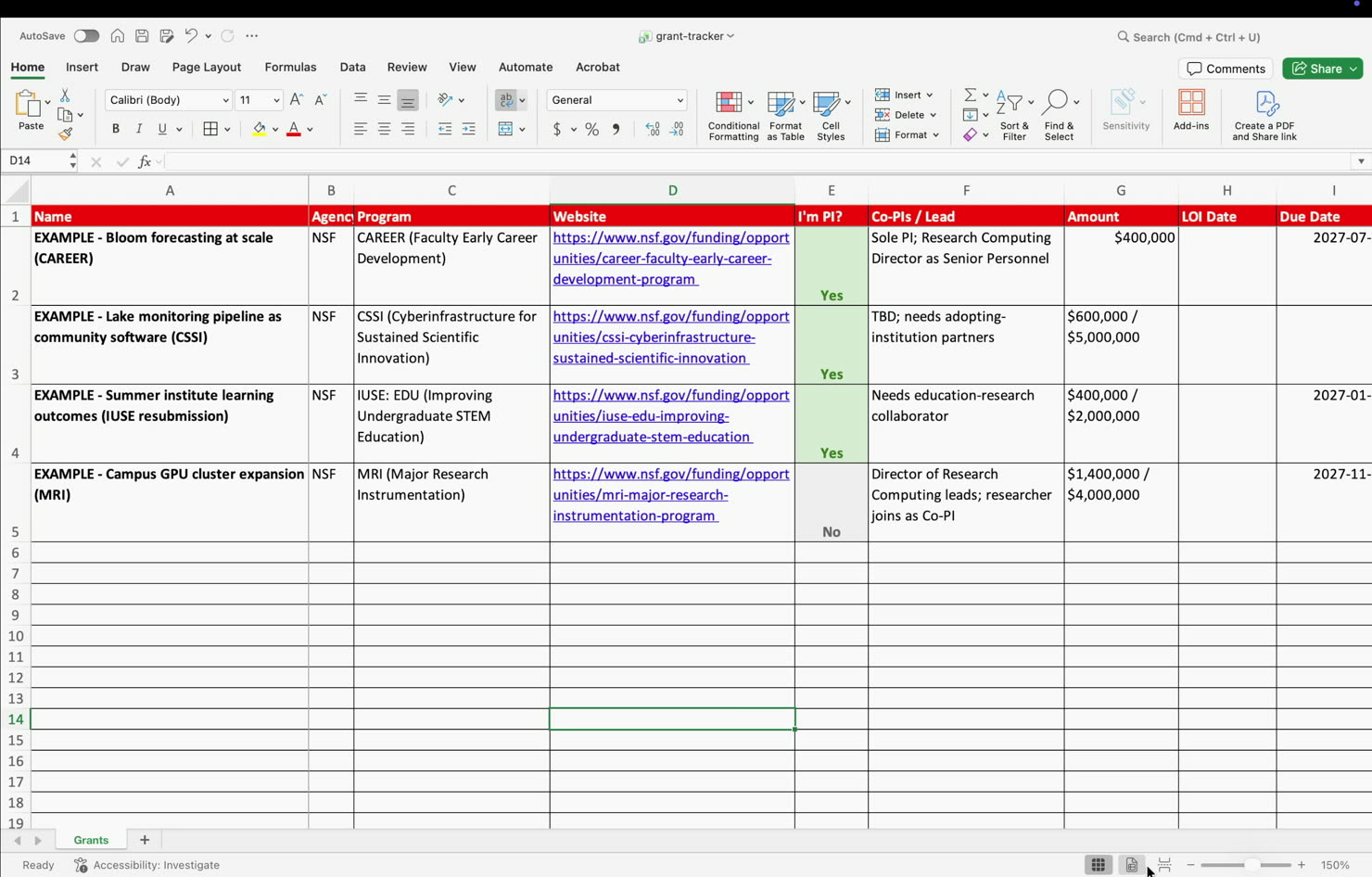
One row per opportunity: deadline, routing date, fit, decision, status. Ships with the four worked examples already in it.
all of it, one sheet
Your grant-writing assistant
OCTAVIA
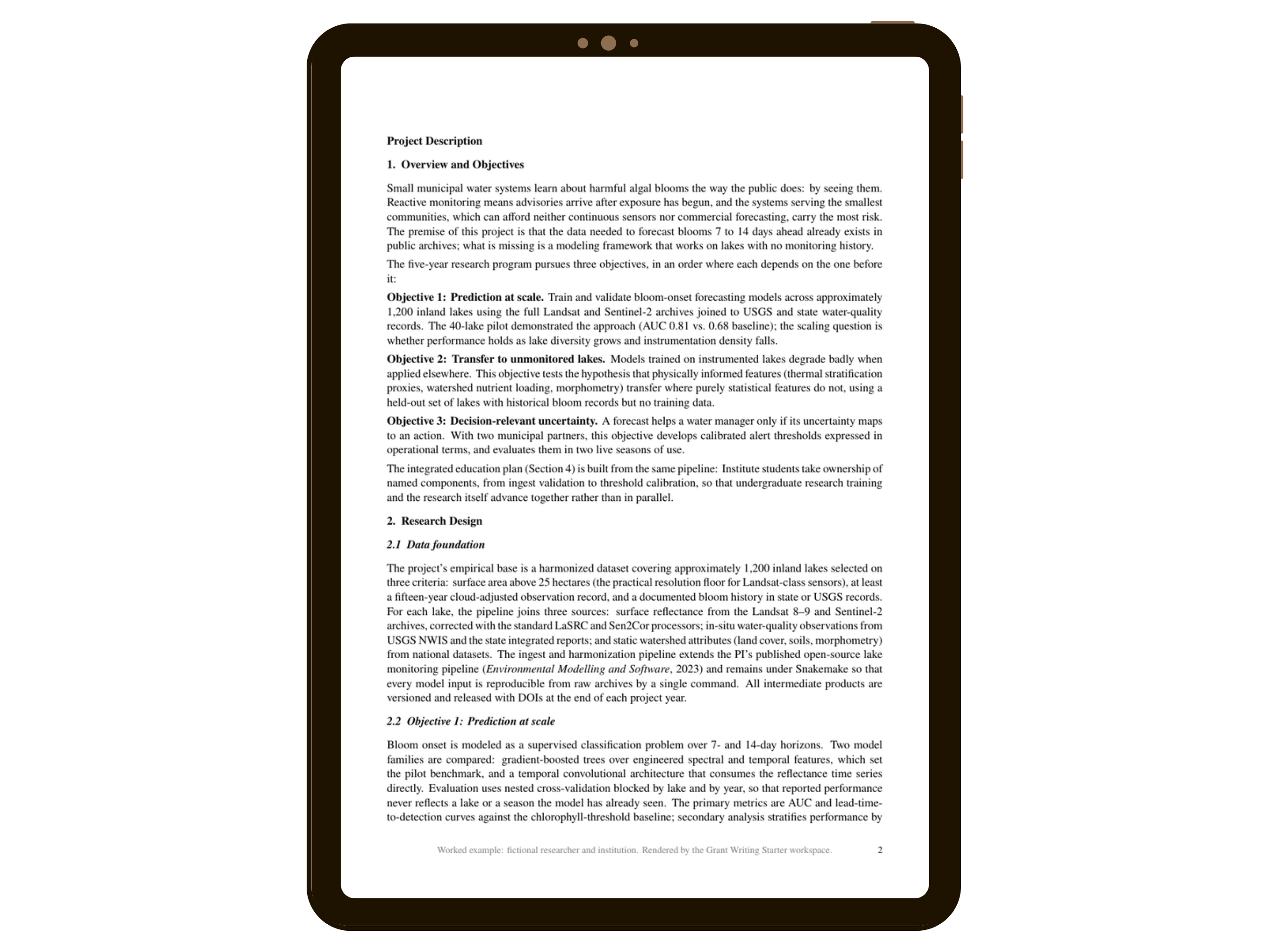
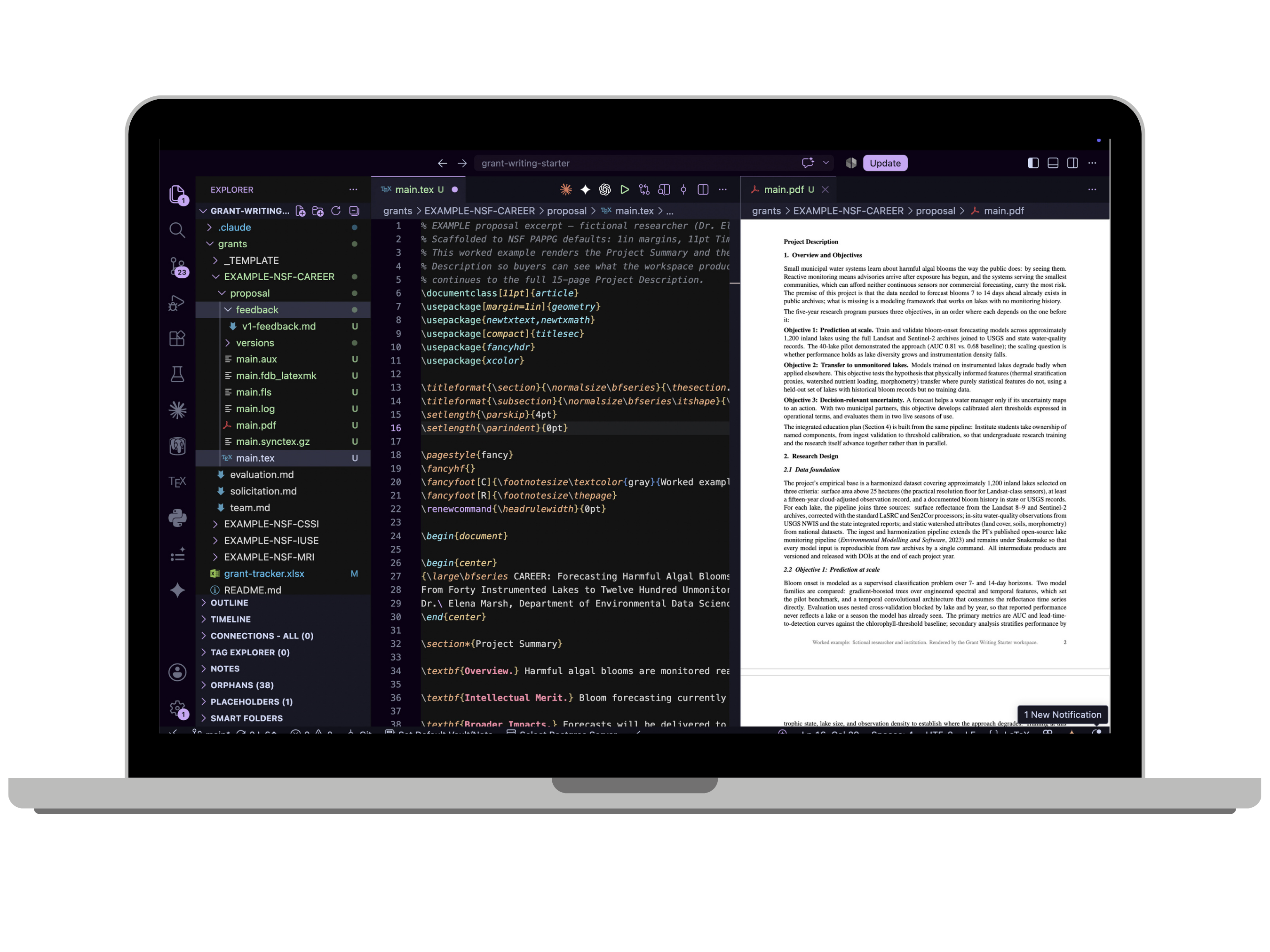
Octavia is your grant-writing assistant. Summary, description, broader impacts, data management, budget justification: drafted to the review criteria, at the page limit, in a proposal voice.
eight arms, one deadline
The pressure
THE PANEL
Four reviewer perspectives read your draft before a real panel does. One of them exists only to refute you.
better now than later
then it loops
UNTIL IT'S TO YOUR LIKING.
After the panel reads it, you give your feedback in plain words. The draft revises, a new PDF renders, the panel reads again. Every version is kept, and you stop when it reads like you.
Also in the box
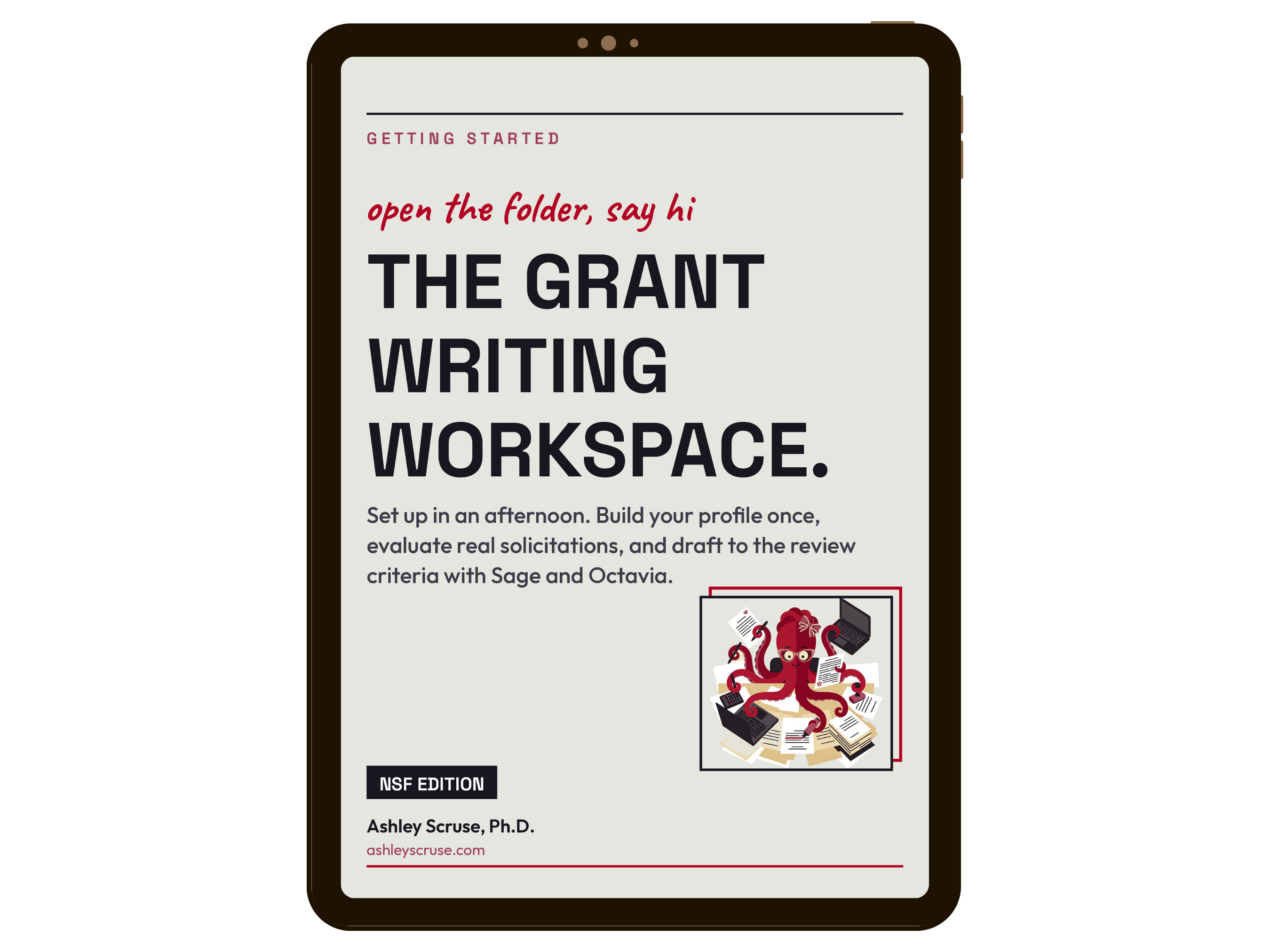
A GETTING-STARTED GUIDE
WALKS YOU IN.
A short PDF covers the whole first afternoon: open the folder, meet Sage, build your profile, run your first evaluation. You are never guessing what to do next.
read it once, you're off
Before you buy
THIS RUNS IN CLAUDE CODE.
The workspace is a plain folder built for Claude Code; you open it and talk to it from Claude Desktop, VS Code, or the terminal. You need a Claude account, and that usage is billed by Anthropic, separately from this purchase. Want finished PDFs? LaTeX is required too, and the workspace can install it for you.
No new subscription from me.
READY TO GET STARTED?
Join hundreds of founders who are building smarter, not harder.